> For the complete documentation index, see [llms.txt](https://docs.dexcheck.ai/llms.txt). Markdown versions of documentation pages are available by appending `.md` to page URLs; this page is available as [Markdown](https://docs.dexcheck.ai/onchain-analytics/on-chain-analytics-applications/smart-traders-moves.md).
# Smart Traders Moves
Smart Trader Moves is designed to enhance your trading strategies. This feature provides real-time insights into the activities of top-performing traders, helping you make more informed decisions.
#### How Smart Trader Moves Works
At the heart of the Smart Trader Moves feature is our AI-powered library of high-ROI traders. We've built an extensive, self-updating library by tracking wallet activities on DeFi platforms across over 20 blockchain networks. This library includes data on wallets that consistently achieve high returns.
Our algorithm monitors the trading activities of these wallets, updating the dashboard with details on their trades. It tracks buy and sell transactions and logs each time a wallet gains exposure to new assets, fully exits an asset, or adjusts its holdings.
We believe that traders with a proven track record of successful investments are likely to continue making informed moves. By tracking their actions and presenting them through an intuitive dashboard, Smart Trader Moves aims to significantly enhance trading decisions for all users.
#### Using the Smart Trader Moves Dashboard
The dashboard provides detailed information on smart traders' inflows, outflows, and live trades:
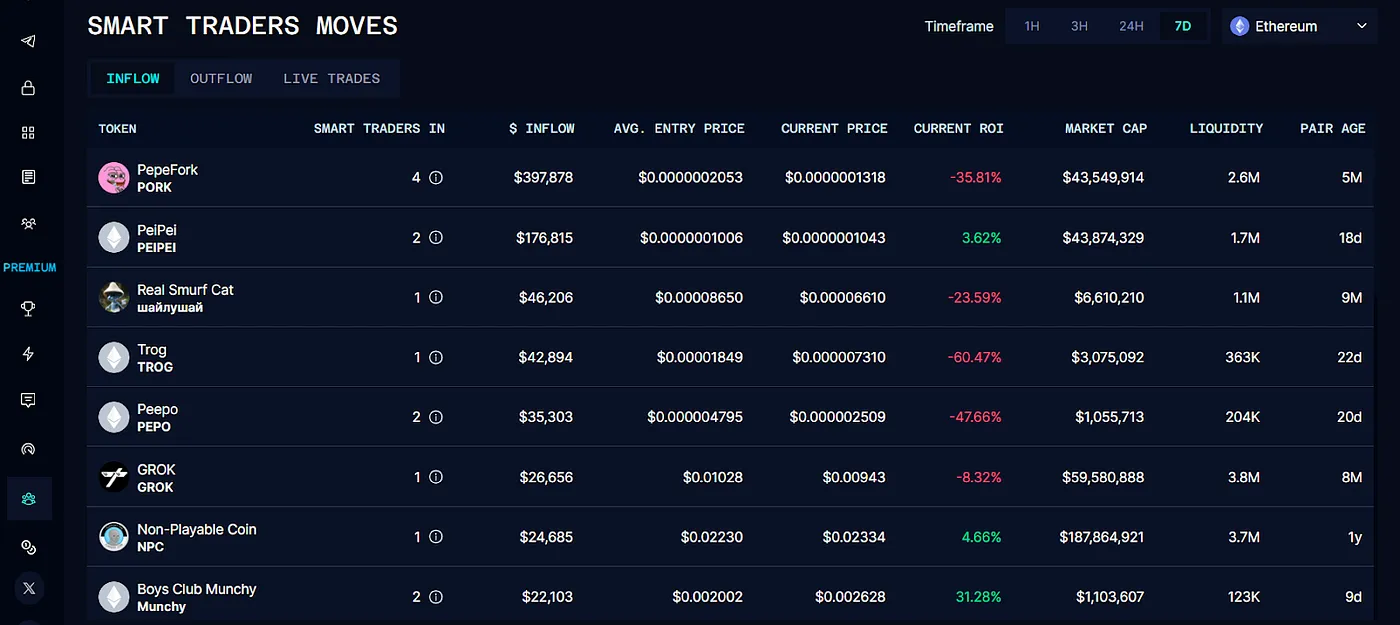
* **Inflow Section**: Shows buy-ins by smart traders, including the number of new traders entering an asset and their investment amounts. Hover over the information icon for details on each trader's purchases, current profit/loss (ROI), and holdings.
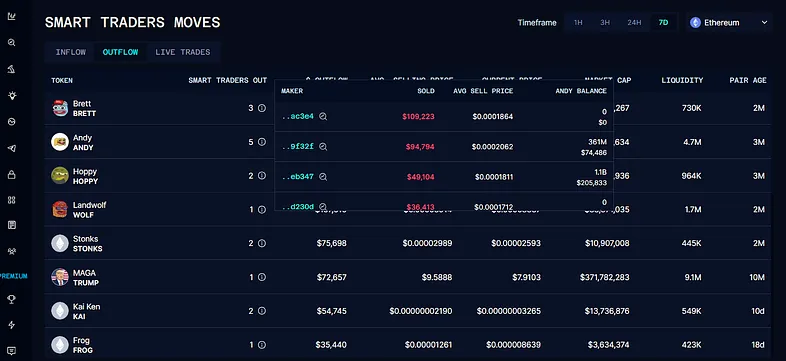
* **Outflow Section**: Tracks sell transactions by smart traders. Similar to the Inflow data, this section provides insights into how many traders are selling an asset. Hover over the information icon to see individual sell data and market data for each asset.
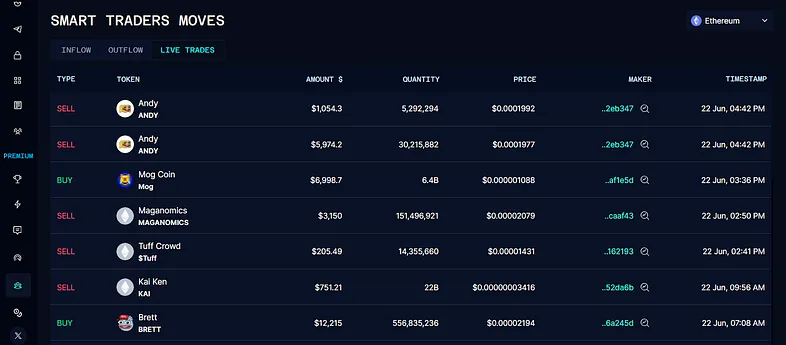
* **Live Trades Section**: Provides real-time updates on the trades being made by tracked smart traders.
The dashboard is timestamped up to 7 days, with adjustable timelines of 1 hour, 3 hours, 24 hours, or 7 days.